
The Blurry Houses on Google Maps Are Kind of Creepy — What's Going on With That?
Ya gotta keep big brother out.

Published Jan. 28 2026, 9:35 a.m. ET

Thanks to Google Maps, we can virtually visit almost anywhere on the planet. For example, we just plugged the "Great Pyramids" into the Google Maps search bar and were immediately transported to Giza, just outside of Cairo in Egypt. Speaking of history, did you know you can visit the home of George Washington? His famous estate is called Mt. Vernon, and if you can't make it to Northern Virginia, why not bring it to you?
On a sweeter note, sometimes you get lucky when looking up previous haunts. When folks realized they could catch an old picture of a loved one in front of their childhood home, people began clicking through available dates on Google Maps. If the day was right, they could see a still of a pet or loved one who was no longer with us. While on Google Maps, you might have noticed that some houses are blurred. What's going on there?
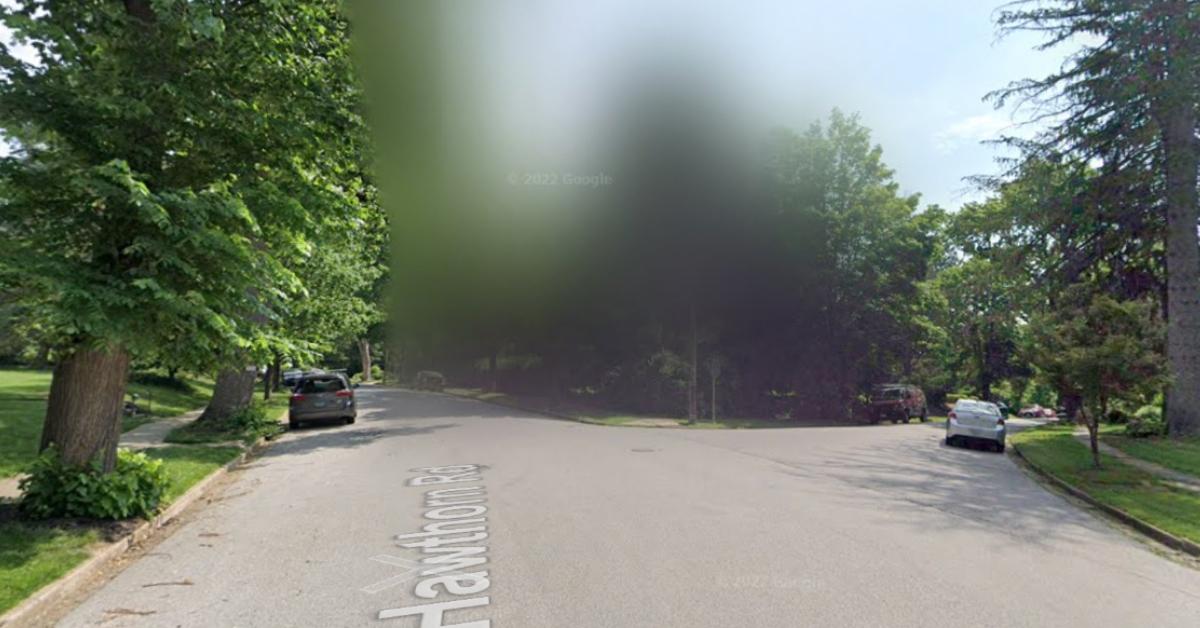
Why are some houses blurred on Google Maps?
Believe it or not, some people want to maintain some semblance of privacy in a digital age that makes it nearly impossible to do so. That's not the only reason why some folks opt to blur their homes. It all comes down to safety. According to ABC 7, thieves can and do use Google Maps to find their next target.
Law enforcement expert Bruce Thomas told the outlet that blurring your home is a great idea. Making your house a little more anonymous means they can't "see what you have or what your house looks like." Ryan Railsback, an officer in the Riverside Police Department in California, told ABC News that "crooks are looking for new and innovative ways to victimize people," so why not make it more difficult?
How do you blur your home on Google Maps?
Blurring your home, your vehicle, or even your own face in Google Maps is pretty easy to do. Stephen Beacham, Senior Video Producer at CNET, started with the obvious: go to Google Maps. Next, enter the address of the home or location you want to blur. Once you've arrived, click on Street View.
Now that you're in Street View, possibly staring at your own house, click on "Report a problem" in the bottom right-hand corner. This will bring you to a page titled "Report Inappropriate Street View." You should still see the Street View image of your home. Below the photo are options for what you want to blur. You can choose face, home, car/license plate, or a different object. After choosing, you'll be able to explain in detail what you want blurred. You'll also provide identifying information.
Google may follow up with more questions. For the most part, faces and license plates are automatically blurred, but sometimes one slips past the goalie. You can also report on an image that is either poor quality, or just plain wrong. By the way, if you're worried about certain private moments being caught on Google Maps, those are automatically blurred as well.