
"Address Unavailable" vs "No Location Found" on Find My App Explained
If you see “No Location Found,” you should be worried.
Published Oct. 15 2025, 1:23 p.m. ET

The “Find My” feature on iPhones is pretty convenient, letting you track all your Apple devices and even share your live location so someone can see where you are or find you if you’re planning to meet up. But like any technology, “Find My” doesn’t always work when we need it to.
One common issue people have been running into is seeing their address listed as “unavailable,” even when “Find My iPhone” is toggled on and location services are allowed.
So what gives? Why does your iPhone say your address is unavailable in Find My even though all the settings are correct?
Why does my "Find My" say "address unavailable"?
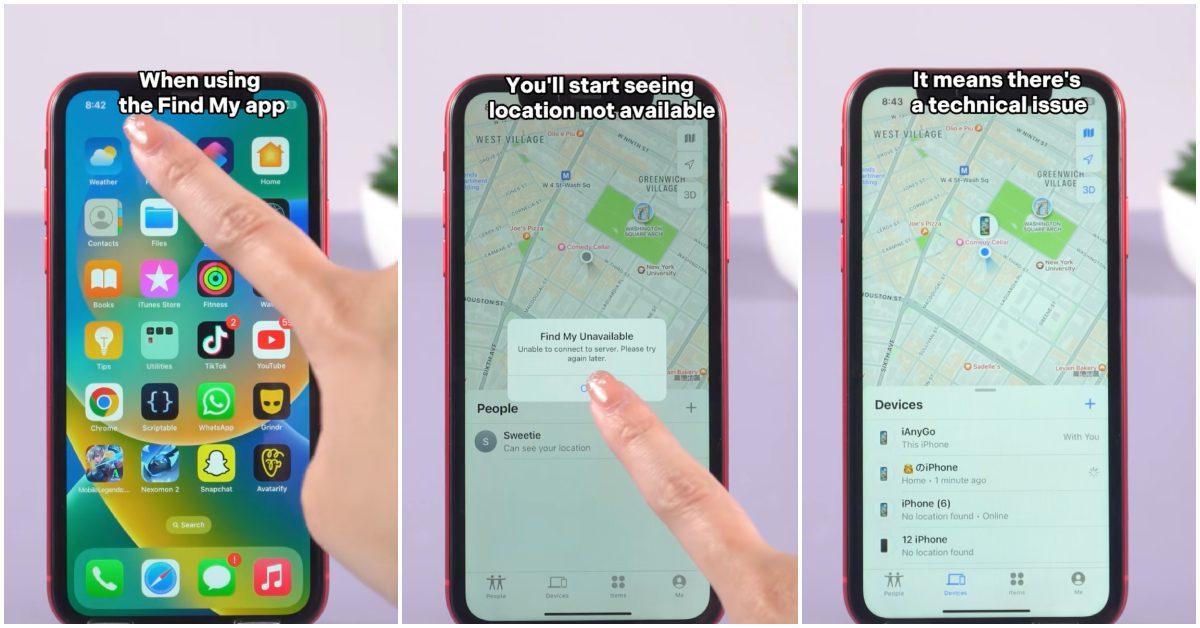
There are a few reasons why your “Find My” might say your address is unavailable, making it impossible to share your location with someone else. This can be especially frustrating if you’re going on a trip, meeting someone new and want to keep your family in the loop, or simply trying to coordinate plans with someone while sharing your current location.
One of the most common reasons Find My shows your address as unavailable is a weak Wi-Fi or cellular connection.
A poor signal can interfere with your location being detected. Another possibility is that the correct permissions aren’t enabled to allow your address to be shared. Make sure Find My has permission to access your location. You can also check in the Settings app under Privacy & Security, then tap Location Services to ensure Find My is allowed to access your location.
If these permissions aren’t toggled on, your address could show up as “unavailable.”
Redditor @thibbs23 shared that even after enabling all the correct permissions and turning on Find My iPhone, their location still wouldn’t show. Their solution was to first back up their iPhone to iCloud, then sign out of their Apple account via the Settings app under Privacy & Security. After signing back in, they made sure Find My iPhone was toggled on and location services permissions were granted. This acted like a “refresh” for their iPhone, and they were finally able to share their location with family.
Now, if you notice “Address Unavailable” showing up for someone else who has said they shared their location with you, there are a few possible reasons this might happen.
A weak Wi-Fi or cellular connection on their end could prevent their location from showing. Another reason could be their phone has a low battery or died, which can also interfere with Find My and result in no address being displayed.
What does “No Location Found” mean?
When a location or address shows up as unavailable on your iPhone, it’s usually for a different reason than when you see “No Location Found.” An unavailable address suggests a connectivity issue, like poor cellular service, a dead phone, or permission problems.
“No Location Found,” on the other hand, usually indicates that the person intentionally stopped sharing their location with you (unless, of course, their child got hold of their phone and changed the settings).
So if a partner, friend, or family member’s location appears as “No Location Found,” it generally means they’ve stopped sharing it. If it wasn’t intentional, you can always reach out and ask them to stop sharing and then reconnect to try to fix the issue.
If you’re sharing locations with family, you should also double check to ensure certain settings are toggled on. To fix a family member whose location isn’t showing, go to Settings, tap Family, then click Location Sharing and make sure location sharing is turned on for that specific family member.