
There's a Reason Why Your Music Stops When You Open the Facebook App
There's an easy fix to make sure it doesn't happen every time.

Published April 14 2026, 1:57 p.m. ET

There are few things as jarring on the social media tech side of things as opening the Facebook app and scrolling, only to have your Spotify in the background suddenly stop so an extremely loud Facebook video can play. It doesn't happen for everyone, of course, but when it does, it has users asking why their music stops when they open Facebook and how to change that.
Luckily, there are a couple of ways to make sure it doesn't happen on the app. In some cases, though, you'll have to remember what to do in case you exit the Facebook app after watching Reels or getting caught up in an endless scroll of AI glass cutting videos that pop up in your feed. Yeah, you know the ones. Facebook knows too.
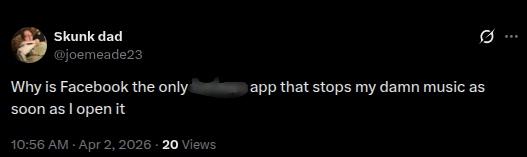
Why does my music stop when I open Facebook?
If you find that Spotify or another music app you have playing on your phone suddenly stops when you open Facebook, it's probably because of the videos on Facebook that automatically play as you scroll through your feed. Even if you aren't watching Facebook Reels, if there are videos that other users posted and they are in your feed, and autoplay is enabled for those videos, then they will take precedence over other music apps.
It might also be because the sound is not muted for Facebook videos in general. If you are watching something and exit the Facebook app, only to return to it later, if nothing is muted, then the app you're on (Facebook) will be the primary one to deliver sound to your speaker, even if you had iTunes, Spotify, or some other music app open when you opened Facebook.
As long as you disable autoplay and keep videos muted before you leave the Facebook app, you can be pretty certain that you won't lose your music when you open the app. Luckily, there are ways to make sure you don't have to sacrifice one for the other if you need to listen to your favorite songs while scrolling through Facebook Marketplace.
How do you disable sound and autoplay for Facebook videos?
According to Apple, when someone asked on a thread about why music stops playing when they open Facebook, there is something you can do with your Facebook account. And, really, this goes for any device with the Facebook app installed. If you go to settings on the Facebook app and scroll to preferences, and then media, you should find an option to click that says "never autoplay videos." If you don’t see that as an option, you can uncheck "Reels start with sound on."
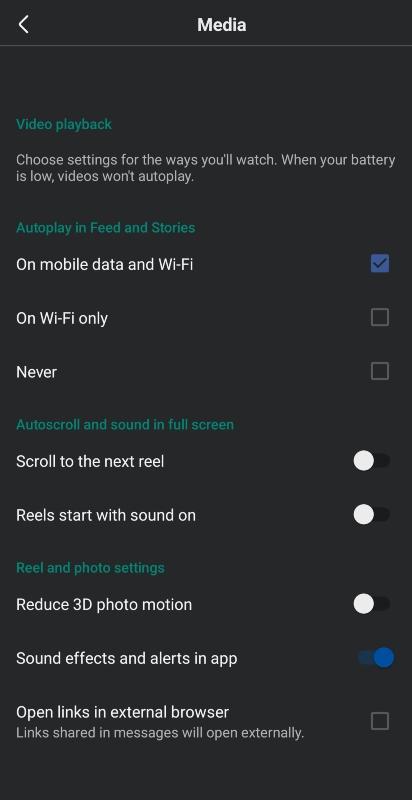
When someone posted on a Reddit thread about the same issue, they claimed that turning off the autoplay method didn't work for them, even if it worked for other users. In that case, you can mute any video in your feed or on Reels. When you close the app and then go back into it, videos will still be muted, and you won't have to worry about your music stopping because of Facebook.