
TikTok Users Are Sick of the AI Overview on the App — Here's How to Turn It Off
"I do not need an AI to explain a video to me."

Published April 28 2026, 2:57 p.m. ET

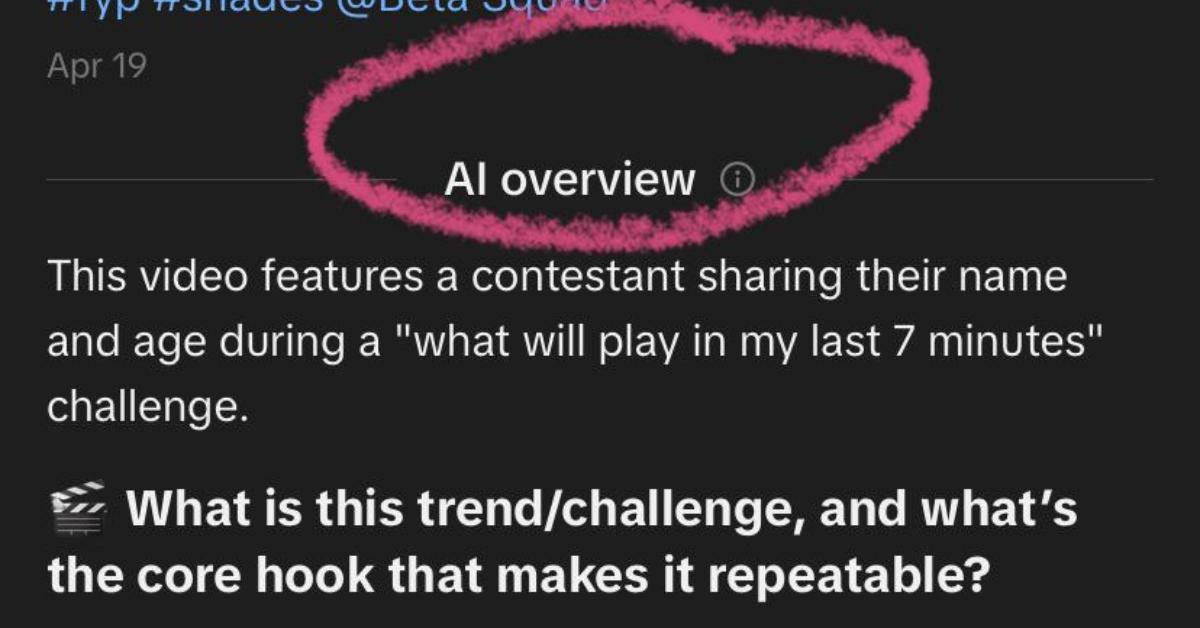
You can block the AI glass-cutting and AI fruit drama videos all you want on TikTok, because now, AI is being thrown at you whether you want it or not. This time, it's in the form of the AI overview summaries that come with longer video captions, and now, users want to know how to turn off the AI overview on TikTok.
With accounts that make certain content, you can block them. When you watch a video you don't like, that also happens to be AI-generated, you can long-press and click to not see more of that same content.
But this goes beyond what you're watching. These caption companions seem to be tagged onto the end of a lot of captions that are so long you have to press "more" to see the rest of the caption.
How do you turn off AI overview on TikTok?
The AI overview doesn't come up for every caption on TikTok. However, if the video has a lot of views or likes, or if it's from an account that's verified or selling something, the caption likely has a summary, written by AI, to let you know what the video is about.
Since this comes at a time when so many social media users are taking hard stances on AI in general, some TikTok users feel a little powerless in being essentially forced to have AI in front of them.
In a YouTube video about how to turn off AI overview on TikTok, a user explains that you can go to settings and privacy, then content preferences. From there, you press manage topics and click to turn off AI-generated content.
However, even if that works for you, the user says in her YouTube video that some TikTokers reported that the next day, when they went on TikTok, the settings were reset.
When you click on the TikTok Tako icon that appears where these AI-generated overviews are, the chatbot doesn't provide much more help. According to it, "TikTok hasn't added a direct 'off' switch for AI overview on videos."
Yes, there is some irony in asking TikTok's own chatbot about this setting, but so far, nothing has worked long-term for users.
On a Reddit thread about the AI overview feature, users shared complaints about trying and failing to turn it off in their settings.
"This is on every TikTok's caption and it's honestly very irritating," the Redditor who made the post wrote. "How do I get rid of it? I do not need an AI to explain a video to me. It just reeks of uselessness."
Another user commented, "Probably can't. All these social media apps are forcing AI on us."
Can you block AI-generated content on TikTok?
Blocking AI content and turning off the AI overview info on videos are two different things. Even if TikTok is making it next to impossible to get rid of the AI overview for now, you can still block any accounts that feature AI content strictly.
You can also long-press on the screen and press on the option that says "not interested." Unfortunately, you can't do that with the AI overview, but it's one way to ensure you see less AI, at least.