
How to Clear "You May Like" on TikTok When Your Suggestions Get Weird and Creepy
If your TikTok suggestions feel random or unsettling, you’re definitely not alone.
Published April 1 2026, 1:16 p.m. ET

If your TikTok’s “You May Like” section has ever made you pause and think … Why are you suggesting this? You aren’t the only one. Some of the suggestions feel random, overly specific, or just straight-up weird.
From strange relationship prompts to oddly intense or even creepy phrases, users have been trying to figure out what’s going on. So, if you’re wondering how to clear “you may like” on TikTok without completely ruining your feed, there are a few things you can try. Keep reading and we will walk you through your options.
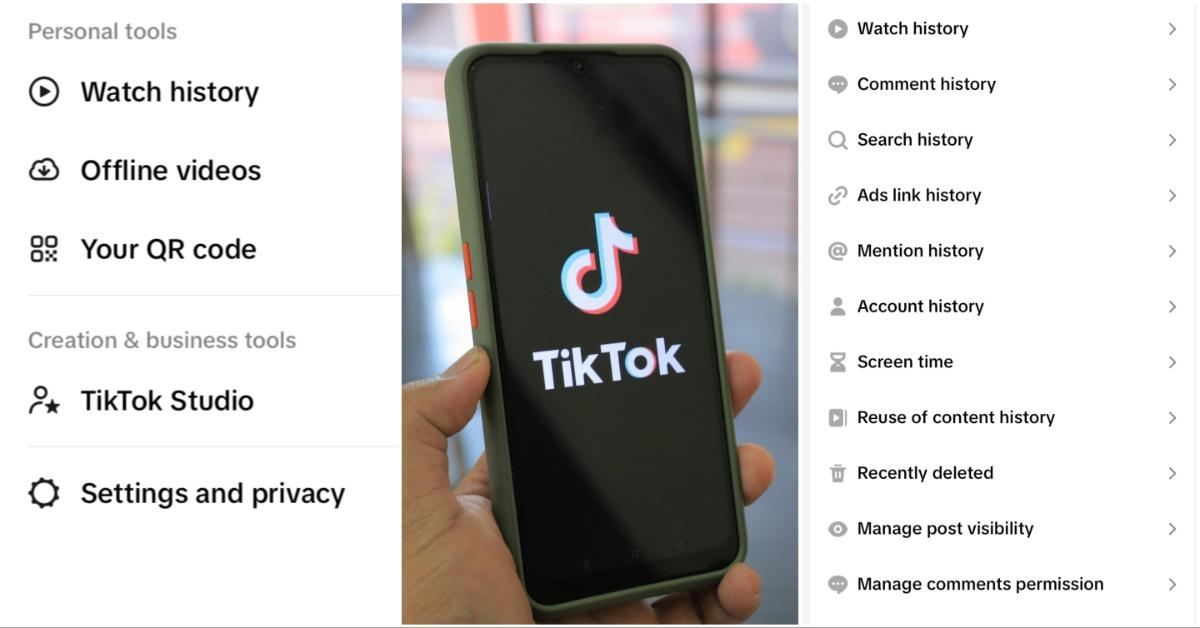
How to clear "you may like" on TikTok without resetting your entire feed.
The good news is you don’t have to completely reset your TikTok algorithm to fix this.
According to chatter on Reddit, one of the most effective methods is clearing your search history. It’s simple and doesn’t impact your “For You” page the same way a full reset would.
Here’s how to do it: Go to Settings and Privacy, tap Activity Center, then select Search History. From there, tap Select, choose Select All, and then press the delete button.
Some users say this immediately clears out the strange “You May Like” suggestions and replaces them with more normal ones.

Why does the suggestions on your TikTok get some weird and sometimes uncomfortable in the first place?
Also, per chatter on Reddit, there is a bigger issue at hand. Outside of just fixing it, a lot of users are upset that it happens in the first place. What causes it?
Unfortunately, this is where things seem to get a lot less clear.
TikTok’s algorithm doesn’t just rely on what you search. It also factors in what you watch, how long you watch it, and even broader trends across the platform.
That means you can end up seeing suggestions that don’t feel connected to you at all.
In some cases, it may pull from:
- trending searches in your region
- content watched by people with similar habits
- or even metadata tied to videos you’ve interacted with
So, even if you’ve never searched for something directly, it can still show up.

Users say the suggestions can feel random, personal, or just plain uncomfortable.
TikTok users have a big issue with this particular problem because of how specific and sometimes unsettling the suggestions can be.
Some users say names of people they’ve blocked or haven’t searched for months keep appearing. Others report seeing overly personal prompts about relationships, breakups, or emotions that don’t match anything they’ve watched.
There are also cases where the suggestions feel completely off-base, showing topics that don’t line up with someone’s usual content at all. That disconnect is what makes the feature feel unpredictable.
In more extreme cases, users have even described the suggestions as inappropriate or concerning.
There are a few other ways to clean up your suggestions.
If clearing your search history doesn’t fully fix it, there are a couple of smaller tweaks that can help.
You can tap and hold on videos and select “Not Interested” to train the algorithm over time. Clearing your cache in settings may also help reset smaller data points without wiping everything.
These options take a little longer, but they can gradually improve what shows up.
Resetting your feed is an option, but most people avoid it.
TikTok does allow you to refresh your “For You” feed completely. But, that’s kind of a last resort.
Doing this wipes out your recommendations and starts from scratch. For a lot of people, that’s just not ideal. No one wants to have to place all of the bricks for their “For You” page all over again.
That’s why clearing search history tends to be the go-to fix. It targets the issue without resetting everything.
At the end of the day, TikTok’s suggestions don’t always make perfect sense. Sometimes they even get too weird for comfort. Fortunately, there are a few quick ways to clear your “You May Life” suggestions. So, you don’t have to keep seeing the weird and creepy suggestions if you don’t want to.